Collision Center Location Pages for Local Search
Build collision center location pages with accurate shop facts, local services, estimate paths, real proof, and useful links without doorway-page duplication.
The question
What should a collision center location page include for local search?
Short answer: A collision center location page should represent one real, staffed facility and publish its exact name, address, phone, hours, repair services, estimate path, verified credentials, real photos, directions, and customer next step. Each page needs genuinely location-specific information; near-duplicate city pages that all funnel to one shop are not a sound local-search strategy.
Build a location page around one real facility
- 01Verify the shop facts
- 02Describe the work at that location
- 03Show the arrival and estimate path
- 04Connect profiles, pages and directions
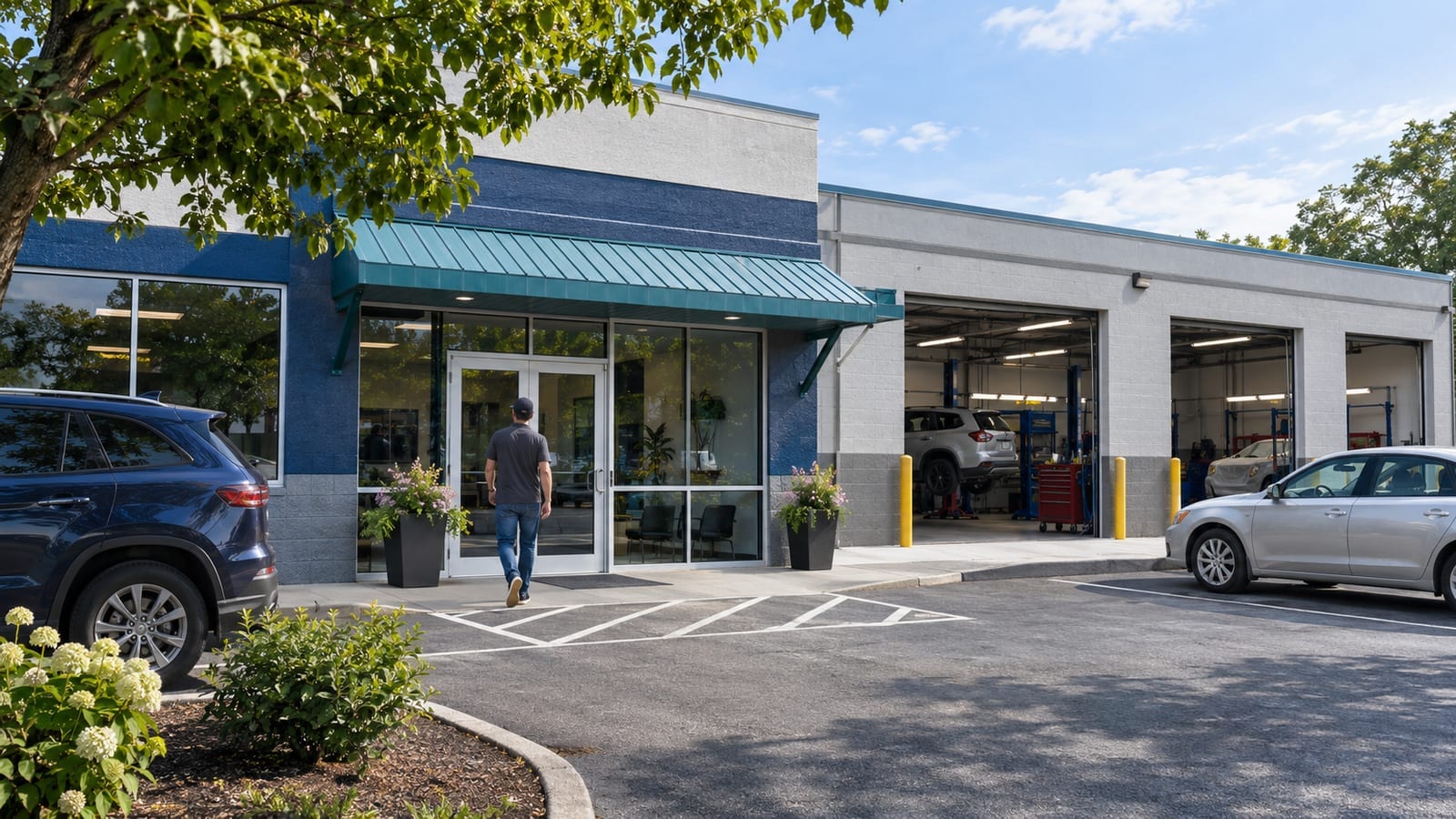
A collision center location page should represent one real, staffed facility and give drivers the exact information they need to choose, reach, and contact that shop. Publish the location's accurate business name, address, local phone number, hours, repair capabilities, estimate path, credentials, photos, arrival details, and next step. Do not create near-duplicate city pages for places where the business has no facility or meaningful local operation.
SimpleLaunch creates local-search-ready websites for collision centers and body shops with a clear relationship between the main service page, real location pages, estimate workflow, and Google or Bing business listings. The website cannot manufacture proximity, but it can remove conflicting information and give search systems and drivers a useful page for each legitimate shop.
When does a collision center need a separate location page?
Create a location page when the business operates a distinct facility that customers can visit and the page can provide facts specific to that facility. A multi-shop operator usually needs one page per staffed location. A single-location collision center usually needs one strong location or contact page, not dozens of city pages.
The page earns its own URL when it can answer questions such as:
- What is the exact address and entrance?
- Which repair services are performed at this facility?
- What hours does this location receive vehicles and calls?
- Which phone number reaches this shop?
- Does the customer start online, call, or arrive for an inspection?
- Which certifications, repair programs, equipment, or staff apply here?
- Are towing, rental, after-hours drop-off, or status-update processes available here?
If every answer is identical and all pages send the visitor to one distant shop, the pages probably do not represent separate locations.
What business information belongs on the page?
Publish the exact real-world business information used on signage, customer documents, and the location's business profiles. At minimum, include:
- Business and location name.
- Complete street address and a working directions link.
- Local phone number controlled by the business.
- Current hours, including any separate estimate or drop-off hours.
- Services actually available at that facility.
- Estimate, inspection, contact, or appointment instructions.
- Accessibility, parking, entrance, and arrival details when useful.
- Real facility and team photographs with permission.
- Current credentials and program participation that apply to that location.
Google's Business Profile guidelines say a business should represent itself consistently in the real world and provide a phone number and website that represent the individual location. The guidelines also require a storefront to be a real, staffed location able to receive customers during its stated hours. A virtual office or unstaffed mailing address should not be turned into a shop page or profile.
Check the page against the Google Business Profile, Bing Places listing, Apple Business Connect, major maps, industry directories, and the business's own records. The website should be the clearest source, not another conflicting version of the address or hours.
How should local services be described?
Describe what the specific facility does and how a customer starts. A body shop's main automotive page may cover collision repair broadly, while the location page confirms the actual services, equipment, staff, credentials, vehicle limitations, and intake route at one address.
Do not paste a generic service list onto every location. One shop may perform aluminum repair while another coordinates it. One may have an approved calibration process on site while another uses a documented partner. State those differences accurately instead of implying that every facility has every capability.
Link important services to useful pages that explain the damage, inspection, repair process, and next step. A driver arriving from a local search should be able to move from the location page to the relevant repair information without returning to the homepage.
How should the page handle estimate and insurance questions?
Make the location's first step explicit. If customers can request a preliminary review online, link to the collision repair estimate request process and preselect or identify the appropriate facility. If the shop requires an in-person inspection, publish the arrival instructions and whether an appointment is needed.
The location page should also link to the body shop insurance and repair process while noting any facility-specific differences. Do not imply that a location controls coverage, claim approval, parts decisions, or completion timing. The page's job is to explain the shop's role and route the person correctly.
Forms should not silently send every location inquiry to an unmonitored central mailbox. Test the routing, confirmation, after-hours behavior, duplicate submissions, and response ownership for each facility.
What proof belongs on a collision center location page?
Use proof that can be verified at that location:
- Exterior, entrance, reception, repair-area, and equipment photos.
- Team members and roles for the facility.
- Current OEM or industry recognitions tied to that shop.
- Genuine customer reviews with their source and wording preserved.
- Permissioned repair examples with enough context to understand the work.
- Clear warranty terms and the responsible provider when a warranty is offered.
Do not reuse one exterior photo across several locations or imply a credential applies to every shop when only one has it. Avoid stock photography that could be mistaken for the facility. If an image is illustrative, label it clearly.
Should a body shop create pages for every nearby city?
No. Create pages for real locations or for genuinely distinct, useful service information—not simply to repeat a city name. Google's spam policies describe doorway abuse as pages targeted at similar regional searches that funnel visitors to one destination or create substantially similar pages closer to search results than the useful site hierarchy.
A single shop can explain its actual service area on its location page and business profile without creating a thin page for every suburb. If the business has meaningful differences in how it serves a distant area—such as a staffed facility, approved pickup process, local contact, or unique service—document the real difference. Otherwise keep the structure compact.
Local rankings depend on more than the page. Relevance, distance, prominence, profile quality, reviews, citations, competition, and the searcher's location all matter. No website page can guarantee a map-pack position.
What structured data should be used?
Use LocalBusiness structured data only for facts visible on the page and true for that location. Google recommends defining each real location as a LocalBusiness entity with accurate identifying details. The markup may include the business name, address, phone, hours, URL, geo coordinates, and images when those details are available and verified.
Structured data is not a substitute for readable content. The name, address, hours, services, and contact path should appear in the page itself. Do not add ratings, reviews, price ranges, or credentials that the page and business cannot support.
Connect each location entity consistently to the broader organization, but do not merge several addresses into one confusing object. Test the markup after changes and keep it synchronized with the visible page.
How should internal links connect the collision-content cluster?
Use descriptive links that tell a driver and search system what the destination contains. The main collision service page should connect to real location pages and supporting guides. Location pages should link back to the main service, the applicable repair services, the estimate path, and the insurance-process explanation.
Google's link guidance recommends concise, relevant anchor text and says every important page should be linked from another page on the site. Avoid repeated “learn more” links when the destination can be named directly.
Collision center location-page checklist
Before publishing, confirm that each page:
- Represents one real, staffed location that receives customers.
- Uses the exact location name, address, local phone, and current hours.
- Describes services and credentials that apply at that facility.
- Shows real location photography or clearly labels illustrative images.
- Explains entrances, parking, towing, drop-off, and accessibility when relevant.
- Links to the appropriate estimate and insurance-process information.
- Routes forms and calls to a monitored owner for that location.
- Matches Google Business Profile, Bing Places, maps, and business records.
- Uses location-specific
LocalBusinessmarkup only for verified facts. - Avoids duplicate nearby-city pages that add no distinct customer value.
The strongest location page is useful before the driver calls: it confirms the right facility, removes arrival uncertainty, and connects local intent to a real repair workflow. That is a durable foundation for local visibility even though no page can manufacture proximity or guarantee placement.